Create and Update TestRail Tests and Results inside Google Sheets
Railflow's Google Sheet Addon provides a rich TestRail like experience within Google Sheets. Sync TestRail tests and results without leaving Google Sheets.
We do all the boring and painful integrations with TestRail API so you can do actual exciting stuff
Free trial, with no credit card required
- Super Duper Simple
- Get up and running in 5 minutes and experience the power of Railflow
- Power of Google Sheets
- Collaborate effectively with team members using Sheet's comments and assignments
- Blazingly Fast
- Be a Testing hero and easily create hundreds of tests in seconds
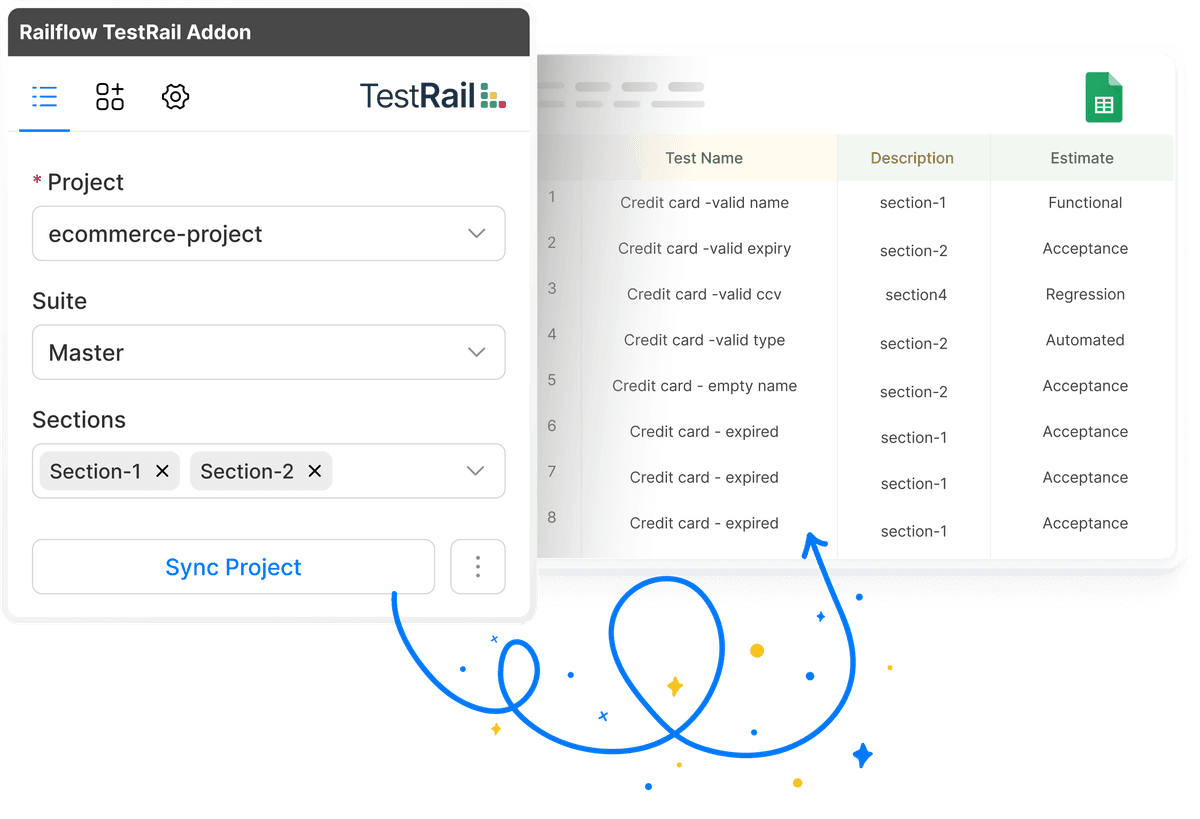
Sync Test Cases
- Section, Suite Filters.
- Select TestRail project and select any number of suites, sections and sync them to Google Sheets
- Configurable Fields.
- Sync all the test case fields or select just the relevant fields using easy to use field configure option
- Everything within Sheets.
- Use the built-in capabilities of Google Sheets to create and update tests and collaborate with team mates
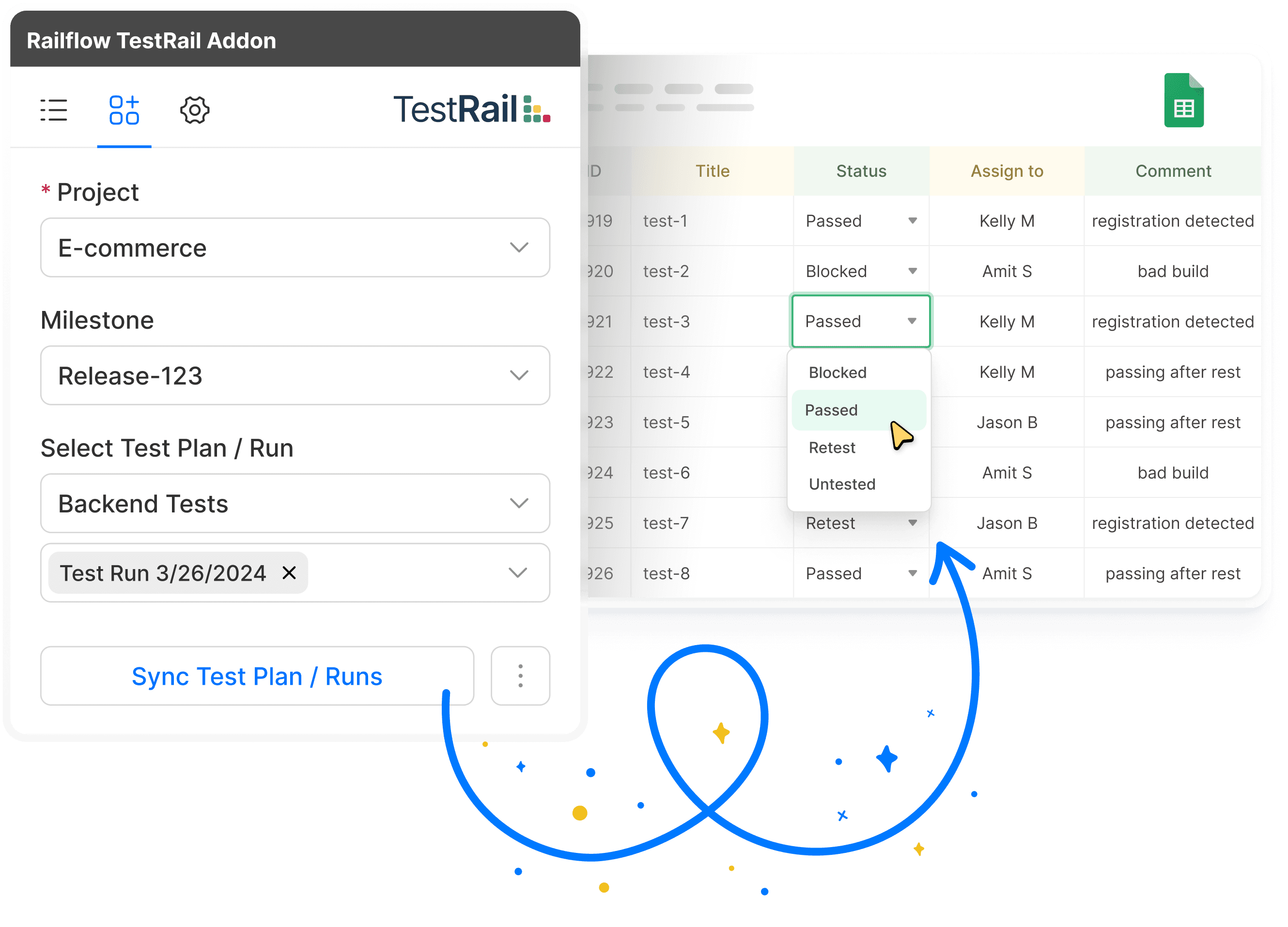
Sync Test Results
- Milestones, Runs, Plan Filters.
- Easy, flexible, and targetted way of updating test results and assigning them to team members
- Configurable Fields.
- Sync all the test case fields or select just the relevant fields using easy to use field configure option
- Everything within Sheets.
- Use the built-in capabilities of Google Sheets to create and update tests and collaborate with team mates
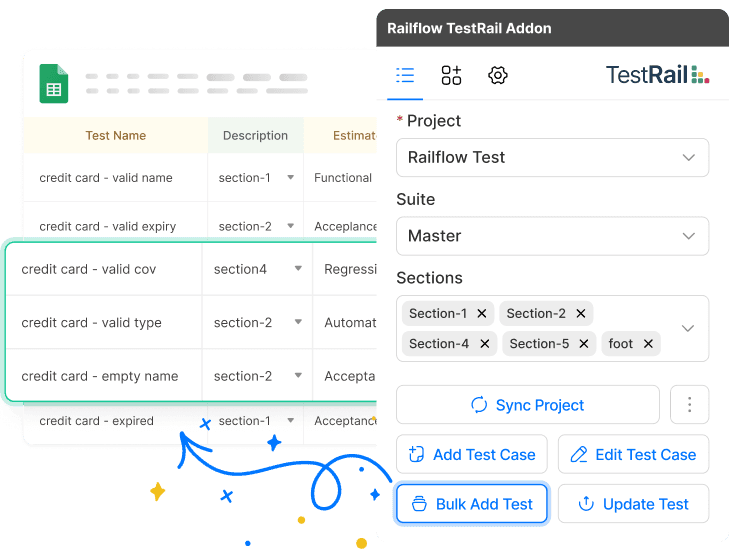
Bulk Add Test Cases
- Quick Test Authoring.
- Use Sheet's countless tricks and shortcuts to quickly write test cases and share with team members
- Copy/Paste.
- Most of the TestRail tests fields are the same from test to test. Copy/Paste Sheets cells for repeating fields
- Custom Fields.
- Got custom test fields? No problem. Railflow automatically detects custom fields and imports them to Sheets
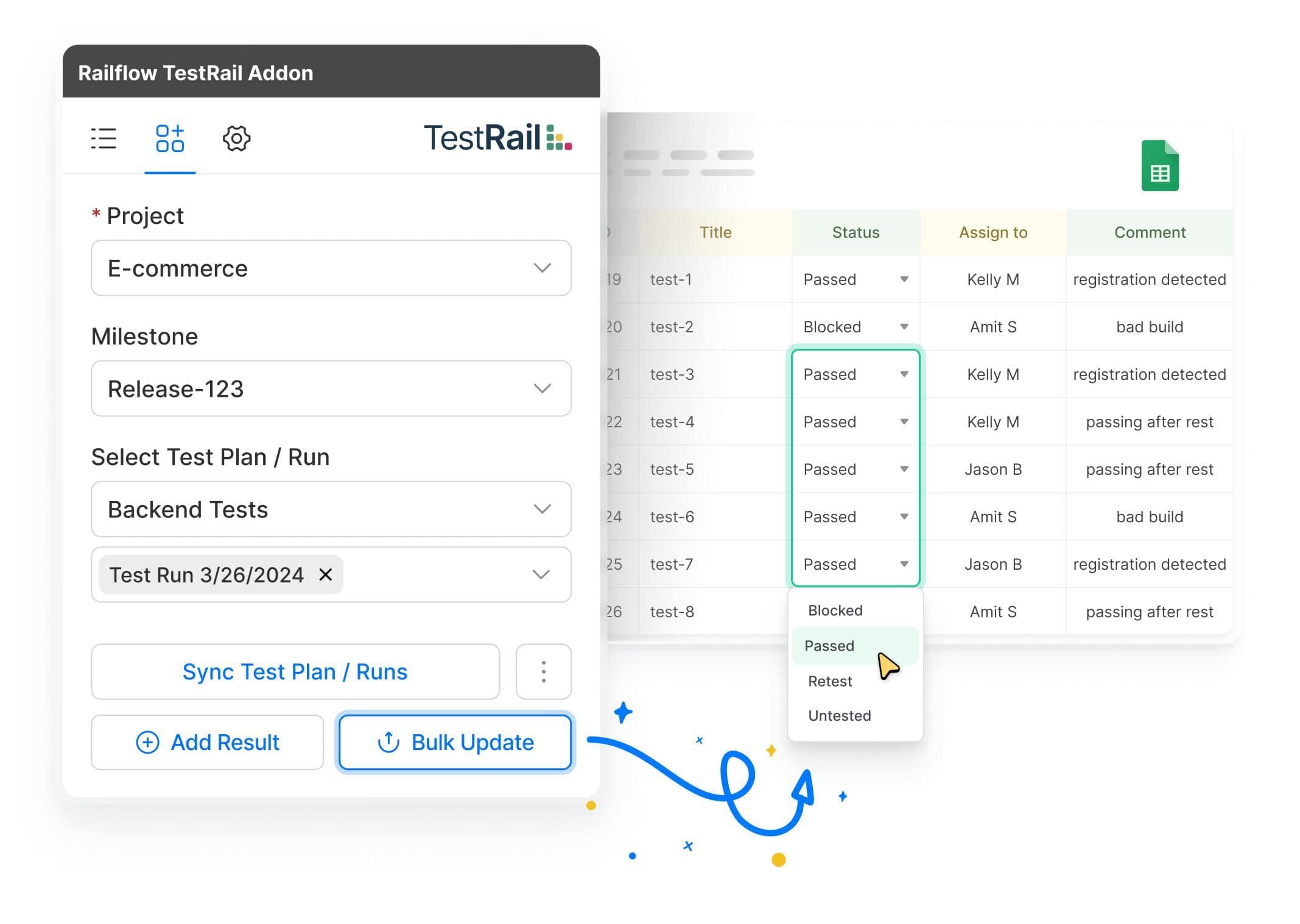
Bulk Add Test Results
- Quickly Update Results.
- Track tests results in Sheets online or offline and update then in bulk when ready or online
- Copy/Paste Multiple Cells.
- Most of the Results fields are the same from test to test. Copy/Paste Sheets cells for repeating fields
- Custom Fields.
- Got custom Results fields? No problem. Railflow automatically detects custom fields and imports them to Sheets
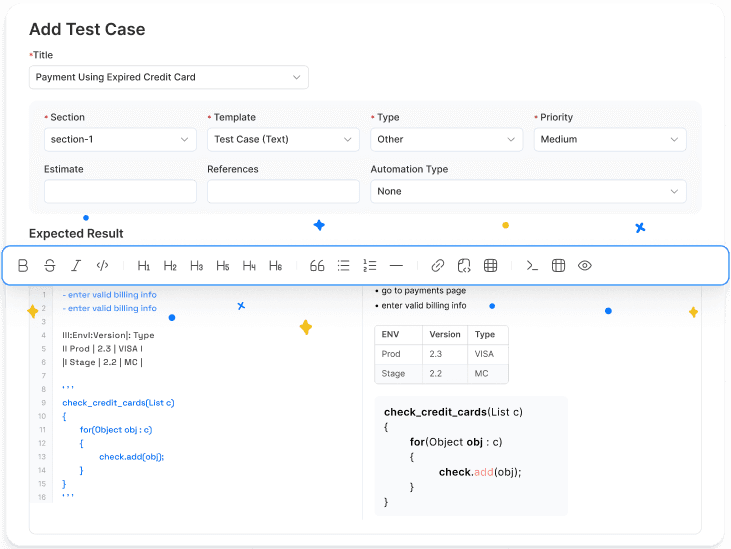
Rich Text Editor w/ Preview
- Rich Markdown Editor.
- Modern React based Markdown Editor to create richly formated test case descriptions.
- Live Preview.
- Live editor preview shows markdown rendering right away without having to save first.
- UX Components
- Modern React components like calendar inputs, text fields, and dropdown menus.
Google Sheets Collaboration
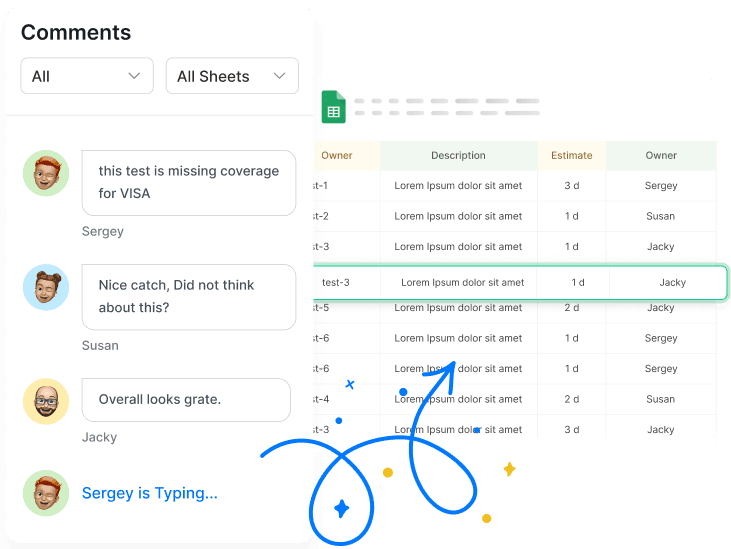
- Select and Share.
- With Google Sheets, you can share Test and Results with anyone and don't need a TestRail license
- Comment Threads .
- Review Tests with other users using Google's builtin collaboration and commenting features.
- Assign for Review.
- Assign comment thread to other users, collaborate on edits, and once reviewed, upload to TestRail
Simple, Flexible, and Affodable Pricing
Simply tell us about your setup and we will have a quote prepared within 24 hours. Need something custom? Ask and we will work with you to make it happen